Overview


|
|
|
With the ERP standard interface, ORTIMplan provides the capability of transferring item data from an ERP system and, after processing these, supplying these back to the ERP system. The ERP system is always the leading system in terms of the item data. ORTIMplan is the supplier of time data. The ERP standard interface is an add-on component to the ORTIMplan standard software. The interface is available as a program module. The ERP standard interface consists of an import and export component. Both components can be used independently of each other or together. The ERP standard interface is based on the same mechanisms and program libraries as the customer-specific ERP interfaces implemented to date. The customer solutions also offer functions and procedures that are geared significantly closer to the specific needs of the particular customers. The interface is maintained by ORTIM as part of the further development of the program, such that its functional capability will also be guaranteed in the future. Further developments will benefit both the standard interface and the customer solutions. Main program windowIn the main program window, you can open the most important components directly or switch to the ERP dashboard.
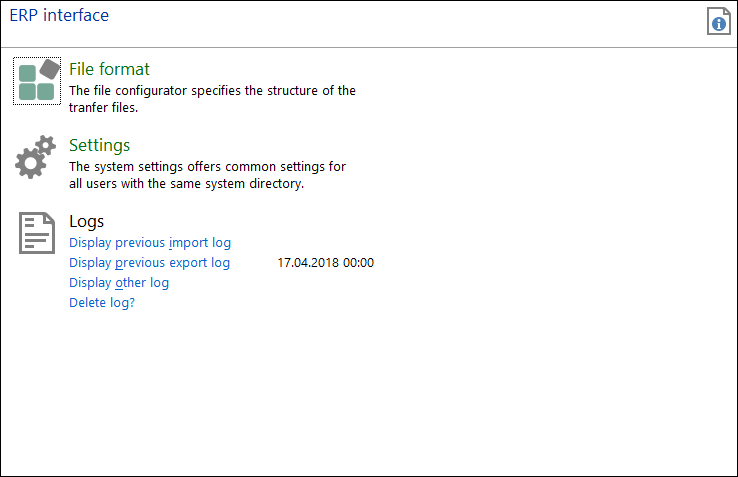
ERP dashboardThe ERP dashboard displays the components of the ERP interface. You also have direct access to the logs generated during imports and exports.
ProceduresThe interface is based on transfer files in CSV format (Comma Separated Value). When imported into ORTIMplan, files (which is generated by the ERP system) are read into ORTIMplan. When exported, files are generated by ORTIMplan and made available to the ERP system. The ERP system imports these data.
The ERP system can transfer export data made available by ORTIMplan, e.g. via a batch input function. An ERP system can generate data for ORTIMplan, for instance, via a report function. Furthermore, individual adjustments within the ERP system can offer further improvements with regard to exchanging data.
The transfer files are collected and made available in configurable directories. The format of the transfer files can be defined via a tool (section File Configurator) in ORTIMplan. This File Configurator allows you to define the fields to be transferred. ContentsThe ERP Interface is anchored at several points within ORTIMplan. The interface consists of an automatic and a manual component. Both of which can be used independently of each other. Both components use different settings, i.e. the settings of the automatic component do not influence those of the manual component. A File Configurator is available for defining the contents of the transfer file. Transfer filesORTIMplan supports various configurations for import and export files. Joint file format for import and exportWith this method, the format of the transfer files for the import and export procedure is the same. This simplifies the task of file management. Fields that are not transferred during the import (e.g. time fields) simply remain blank. A file generated by an export can be imported without modification, since it has the same format ORTIMplanexpects when importing.
Separate file format for import and exportWithout record identification codeThis method allows you to define different file formats for import and export procedures. Frequently, more data are imported by the ERP system to ORTIMplan than are exported. A large number of ERP data are required in ORTIMplan, e.g. for decision-making processes. Generally speaking, times are exported along with the necessary identification attributes (item number, work cycle). Data that belong together are stored in a line of the CSV file. Use record identification codesWith this method, data that belong together are split up into individual data records. The order of the individual data records determines which data they belong to. Format descriptionThe File Configurator allows you to define the fields along with their data type, length and meaning in ORTIMplan. On the basis of the defined meaning, the data are assigned to the corresponding program objects in ORTIMplan during the import process. When exporting, the meaning is used to define which ORTIMplan properties are written into the fields of the transfer file. Accordingly, the File Configurator provides the file description on the one hand and on the other hand defines a mapping condition between the data fields of the ERP systems and ORTIMplan. As the file format, the commonly used CSV format is employed, which is supported by many spreadsheet programs. This offers the advantage that evaluations can be additionally performed on the transfer files. The CSV format allows you to set both field separators (, or ; or tabs), text separators (" or ’) and the decimal separator (. or ,). A data record (or a partial record when using record identification codes) is mapped in a line and concluded by a line break (CR/LF). This produces a highly readable data format. It is possible to edit CSV files using simple text editors or spreadsheet programs (e.g. Microsoft Excel, OpenOffice.org Calc). |