Logs
Logs


|
|
|
All the import and export events are recorded in log files. The log files can be viewed in the program's main window via the File menu by selecting the ERP interface submenu.
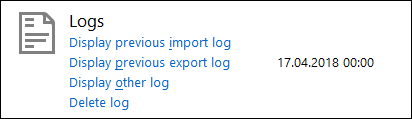
Show previous import logOpens the import log of the last successfully performed ERP import. The import logs lists all the imported data records. Show previous export logOpens the export log of the last successfully performed ERP export. The export log lists the route sheets that have be supplied to the ERP system. Show other logOpens a standard file selection dialog, which allows you to select the log file whose contents you wish to display. Delete logOpens a standard file selection dialog, which allows you to select the log file you wish to delete. Log files have the following written form PFMMDDNN.LOG:
Example: EX042301.LOG - export file with serial number 1, created on April 23. |